USDA Full document link
U.S. Import Permit FAQ: Importing Plants

Please navigate to https://efile.aphis.usda.gov/s/
using Google Chrome, Firefox, Edge, or Safari (Note: eFile is not supported by Internet Explorer).
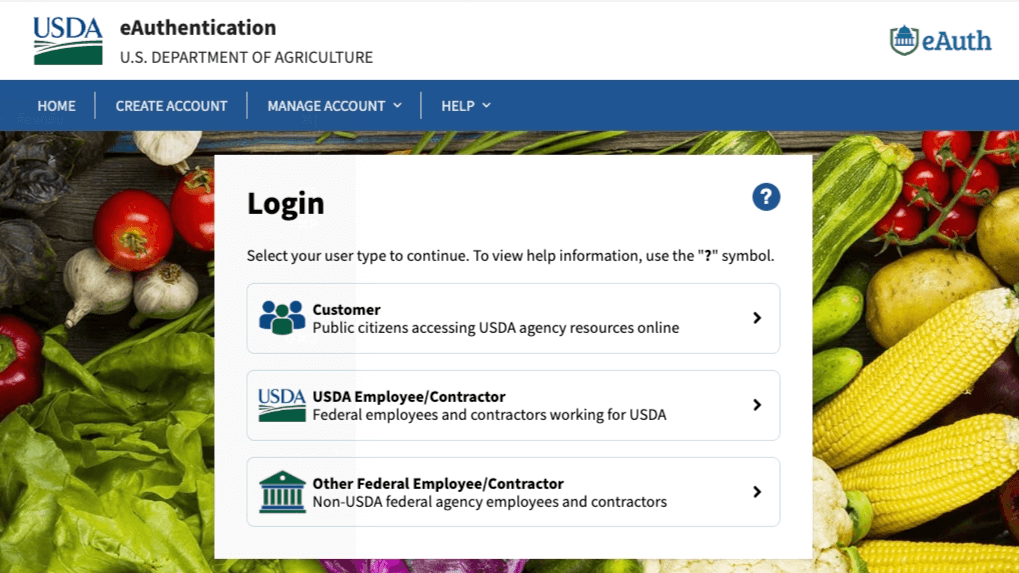
Login/Sign up
Click the Create Account tab.
Select your User Type (generally, Customer)
- Enter your email address.
- You will receive a confirmation email from [email protected] with the subject “eAuth – Confirm email.” Please click the “Continue Registration” link within that email to proceed.

- Back on the eAuth web site, enter your name and set up a password.
- ePermits requires “Verified Identity” authentication for all permit applications (previously known as “Level 2”). Please follow the instructions below to obtain Level 2 access.
- Do not click “Log in to your application.” Instead, choose “Manage Account,” then “Update Account,” and proceed by selecting “Continue to login Page.”
- Enter your user ID (email address) and the password you just created.
- Click the “Verify My Identity” link (located in the middle of the right side of the page), then select “Verify My Identity Online.” Agree to the terms of service.
- To start the verification process, provide your address, phone number, date of birth, and social security number. The system will prompt you with personal identity verification questions.
- If you successfully answer these questions, your “Verified Account” will be created.
- (If you’re unable to answer the online questions, you can visit a USDA Local Registration Authority (LRA) office with a government-issued photo ID to verify your identity in person.)
- After identity verification, click “Continue” on the “Identity Verification Success” page. Then, click “Continue to Application” on the “Account Information” page.
- You will now be in the ePermits system. In the future, you can log in directly at https://ePermits.aphis.usda.gov.
- For importing plants from Thailand, the PPQ 587 Application form is used.
Plant Protection and Quarantine (PPQ) Permit Applications.

USDA APHIS Permit Labels
Kindly ensure the USDA APHIS eFile Permit Labels are included with the ePermit when sending.